Best Smart Home Hubs 2026: Top 5 Platforms for a Connected Home
Compare the best smart home hubs of 2026 including Amazon Alexa, Google Home, Apple HomeKit, Samsung SmartThings, and Home Assistant. Find the perfect hub for your smart home setup.
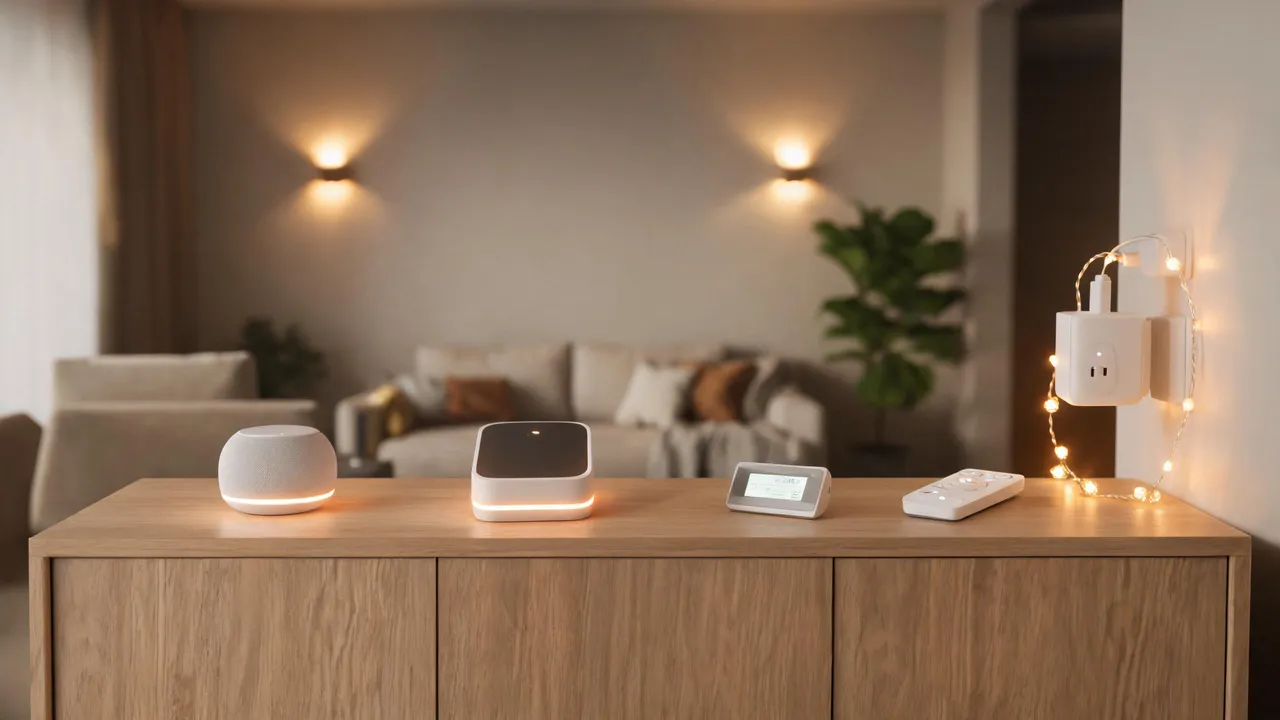
TL;DR
Smart home hubs are the central command center for your connected devices. In 2026, Amazon Alexa remains the most accessible choice with the largest ecosystem, while Home Assistant leads in customization and privacy. Apple HomeKit delivers the best security for iOS users, SmartThings offers unmatched protocol flexibility at a budget price, and Google Home excels at natural voice control and family management. If you want plug-and-play simplicity, pick Alexa or Google. If you value privacy and advanced automations, go with HomeKit or Home Assistant. For mixed-protocol homes on a budget, SmartThings is your best bet.
Comparison Table
| Platform | Hub Price | Voice Assistant | Protocols | Local Control | App Rating | Best For |
|---|---|---|---|---|---|---|
| Amazon Alexa (Echo Hub) | $179.99 | Alexa | Wi-Fi, Zigbee, Thread, Matter | Limited | 4.5/5 | Beginners |
| Google Home (Nest Hub) | $99 | Google Assistant | Wi-Fi, Thread, Matter | Limited | 4.4/5 | Families |
| Apple HomeKit (HomePod) | $299 | Siri | Wi-Fi, Thread, Matter, Bluetooth | Yes | 4.3/5 | Apple users |
| Samsung SmartThings Station | $59.99 | Bixby (limited) | Wi-Fi, Zigbee, Z-Wave, Thread, Matter | Yes | 4.2/5 | Mixed-device homes |
| Home Assistant Green | $99 | Optional add-on | Wi-Fi, Zigbee, Z-Wave, Thread, Matter, Bluetooth, 433MHz | Full | 4.6/5 | Tech enthusiasts |
1. Amazon Alexa (Echo Hub) — Best for Beginners
Amazon’s Alexa ecosystem remains the 800-pound gorilla of the smart home world in 2026, and the Echo Hub ($179.99) is its dedicated smart home command center. With support for over 140,000 compatible devices across thousands of brands, no other platform comes close to Alexa’s sheer breadth of compatibility.
The Echo Hub features an 8-inch customizable touchscreen dashboard that gives you at-a-glance control over cameras, lights, thermostats, and locks. Its built-in Zigbee, Thread, and Matter radios mean it can talk directly to most smart home devices without needing additional bridges. The Matter 1.3 update in 2026 added support for robot vacuums, air purifiers, and energy management devices, further expanding an already massive ecosystem.
Voice control remains Alexa’s killer feature. Amazon’s LLM-enhanced Alexa (launched early 2026) now understands contextual and multi-step requests far better than previous generations. You can say “Alexa, I’m going to bed” and have it lock doors, turn off lights, adjust the thermostat, and arm the security system — all from a single command. Routine creation has also improved dramatically with the new visual routine builder accessible directly from the Echo Hub screen.
The main drawbacks are privacy and cloud dependency. Most processing happens on Amazon’s servers, meaning your voice commands travel to the cloud. While Amazon has added on-device processing for basic commands, complex automations still require an internet connection. For users who prioritize privacy or need guaranteed offline operation, this is a significant limitation.
Price: The Echo Hub costs $179.99, with entry-level Echo Dot speakers starting at $49.99. No monthly subscription is required for core functionality, though Alexa Together ($19.99/month) adds emergency response and caregiver features.
Verdict: The Echo Hub is the best choice if you want maximum device compatibility and the most polished voice-control experience with minimal setup. It is the definitive plug-and-play smart home hub of 2026.
2. Google Home — Best for Natural Voice Control
Google Home, centered around the Nest Hub Max ($229) and Nest Hub ($99), delivers the most advanced natural language processing in the smart home space. Google’s decade of search AI expertise shines through in Google Assistant’s ability to understand conversational queries, follow-up questions, and nuanced commands that stump other platforms.
The 2026 Google Home app redesign brought a much-needed overhaul to the user interface. The new Home Panel on Pixel devices and the Nest Hub provides quick device controls, camera views, and automation triggers. Google’s Script Editor allows users to create advanced automations using a YAML-based configuration — significantly more powerful than Alexa’s routine builder, though not as flexible as Home Assistant.
Google Home shines in household management. Features like Family Bell (scheduled announcements), Family Notes (shared sticky notes on the hub display), and Google Calendar integration make it the best hub for families with children. The Nest Hub’s display doubles as a digital photo frame through Google Photos integration, which is a genuinely delightful secondary use.
Matter and Thread support continue to expand, with Google serving as one of the primary Matter controllers in the smart home ecosystem. The Nest Hub (2nd gen) and Nest Hub Max both include Thread border router functionality, allowing them to connect Thread devices without additional hardware. The Nest Wifi Pro mesh router system also doubles as a Thread border router and Matter hub.
The platform’s main limitation is its smaller third-party ecosystem compared to Alexa. While Google works with all major smart home brands, Alexa still supports more niche and budget devices. Google’s smart display interface, while polished, offers fewer customization options than Amazon’s Echo Hub.
Price: The Nest Hub starts at $99, with the Nest Hub Max at $229. No subscription required for basic smart home functions.
Verdict: Google Home is the smartest voice assistant paired with a clean, family-friendly interface. Choose it if you’re already invested in Google’s ecosystem or want the most conversational voice-control experience available.
3. Apple HomeKit — Best for Privacy and Apple Ecosystem
Apple HomeKit, powered by the HomePod (2nd generation) ($299) and HomePod mini ($99), remains the gold standard for smart home privacy and security in 2026. Apple’s unwavering commitment to end-to-end encryption and on-device processing means your smart home data never leaves your home in an unencrypted form — and much of it never leaves at all.
The HomePod serves triple duty as a smart speaker, HomeKit hub, and Thread border router. Apple’s silicon (the S7 chip in the full-size HomePod) handles all automations and Siri requests locally, with no cloud dependency for basic operations. HomeKit Secure Video extends this privacy model to cameras, processing footage on a local HomePod or Apple TV and encrypting it before storing in iCloud, where even Apple cannot view it.
The 2026 Home app redesign brought grid view, activity history, and guest access controls that finally made the interface competitive with Alexa and Google. The Matter 1.3 update means HomeKit now supports robot vacuums, air quality monitors, and energy management devices natively. With the growing Matter ecosystem, the old criticism of “limited device selection” is becoming less relevant by the quarter, as nearly every Matter-certified device works with HomeKit out of the box.
Adaptive Lighting and Adaptive Audio are Apple’s smart ambient features that dynamically adjust light color temperature throughout the day and balance music/speaker volume based on room conditions. These subtle quality-of-life features are easy to overlook in spec sheets but meaningfully improve daily living.
The primary barrier to entry remains cost and platform lock-in. A single HomePod costs $299, and HomeKit’s advanced features require an Apple TV 4K or iPad as a secondary hub for remote access. Android users are completely locked out — there is no Android Home app, making HomeKit a non-starter for households with mixed mobile platforms.
Price: HomePod mini $99, HomePod $299, Apple TV 4K (alternate hub) $129. HomeKit Secure Video requires an iCloud+ subscription ($0.99/month for 50GB plan).
Verdict: HomeKit is the best choice for Apple households that value privacy above all else. The ecosystem tax is real, but the security and seamless integration with iOS/macOS devices justify the premium for millions of users.
4. Samsung SmartThings Station — Best Value for Mixed-Device Homes
The SmartThings Station ($59.99) is the most affordable dedicated smart home hub on the market in 2026, and it punches far above its weight in protocol support. Unlike the platform-specific hubs from Amazon, Google, and Apple, SmartThings is protocol-agnostic — it supports Wi-Fi, Zigbee, Z-Wave, Thread, and Matter out of the box, making it the Swiss Army knife of smart home hubs.
This protocol flexibility is SmartThings’ defining advantage. Where Alexa requires you to check “Works with Alexa” labels and HomeKit requires “Works with Apple Home” certification, SmartThings connects to nearly everything. Got a Z-Wave door lock from 2018, a Zigbee bulb from Philips Hue, and a brand-new Matter-enabled thermostat? SmartThings handles them all in one unified interface, with no need for additional bridges or hubs.
Samsung’s Bixby voice assistant is included for basic commands, but it is far less capable than Alexa, Google Assistant, or Siri. The SmartThings Station is better thought of as a pure automation hub rather than a voice-first device. The SmartThings app offers a robust automation engine with If-Then-Else logic, device grouping, scene creation, and energy monitoring dashboards. For users who want their home to run automatically based on sensors and schedules rather than voice commands, this approach works well.
The Galaxy ecosystem integration adds value for Samsung phone and tablet users, with Quick Panel controls, Bixby Routines, and SmartThings Find (for locating misplaced Galaxy devices) all tying together. Samsung SmartTags and Galaxy SmartTag2 work as presence sensors for home/away automations.
The main frustration with SmartThings is software complexity. The app has improved dramatically since the 2023 UX overhaul, but creating advanced automations still requires navigating multiple submenus. Some power-user features, like web-based IDE automation, were deprecated during the platform’s migration to a new architecture, frustrating long-time users.
Price: SmartThings Station $59.99. No subscription required. SmartThings-compatible sensors and devices are widely available at competitive prices due to the open protocol approach.
Verdict: SmartThings Station is the best value hub for users with a diverse mix of devices from different manufacturers. Its protocol flexibility and low entry price make it ideal for those building out a smart home incrementally without committing to a single brand ecosystem.
5. Home Assistant (Home Assistant Green) — Best for Advanced Users
Home Assistant is not a consumer product in the traditional sense — it is an open-source smart home operating system that gives you absolute control over every aspect of your smart home. The Home Assistant Green ($99) is the official plug-and-play hardware that makes getting started easier than ever, eliminating the need to source a Raspberry Pi and manually flash an SD card.
The platform connects to over 2,000 different device integrations — far more than any commercial hub. If a smart device exists, someone has probably written a Home Assistant integration for it. This includes not only mainstream products but also obscure sensors, DIY ESP32 projects, and even reverse-engineered integrations for devices from defunct brands.
The defining feature of Home Assistant is 100% local control. Every automation, every sensor reading, every device command runs on your hardware. Your home continues to function exactly the same whether your internet is up or down. For privacy-conscious users, this is the only platform that guarantees no data ever leaves your house. Voice assistants are optional add-ons — you can integrate Alexa or Google Assistant for voice control, or use the fully local Assist voice pipeline with the Home Assistant Voice Preview Edition ($59) hardware.
The automation engine in Home Assistant is unmatched in power. Using either the visual Automation Editor or the YAML-based configuration, you can create automations with complex conditions, templates, scripts, and blueprints (community-shared automation templates). Want your blinds to close when the UV index exceeds 6 and outdoor temperature exceeds 28°C, but only on weekdays when nobody is home? Home Assistant can do that — and much more.
The trade-off is a steep learning curve. Even with the Home Assistant Green simplifying hardware setup, creating meaningful automations requires learning the platform’s concepts (entities, services, helpers, blueprints) and some willingness to troubleshoot. The community forum and subreddit are incredibly helpful, but Home Assistant is undeniably a tinkerer’s platform.
Price: Home Assistant Green $99. Home Assistant Yellow (PoE and NVMe support) $149-$179. Software is free and open source. Nabu Casa cloud subscription ($6.50/month) for easy remote access and Alexa/Google voice integration.
Verdict: Home Assistant is the undisputed king of smart home platforms for those willing to invest time learning it. If you want maximum flexibility, uncompromising privacy, and the most powerful automation engine available, there is no substitute.
What Is a Smart Home Hub and Do You Need One?
A smart home hub is the central controller that connects, manages, and automates your smart devices. Think of it as the conductor of an orchestra — individual smart bulbs, locks, thermostats, and sensors are the musicians, but the hub ensures they all play in harmony.
Without a hub, each smart device operates in isolation through its own app. Your Philips Hue lights use the Hue app. Your Nest thermostat uses the Google Home app. Your August lock uses the August app. A hub unifies these into a single interface and — crucially — enables cross-brand automations that a single-device app cannot achieve.
Do you need a hub? Here is the honest answer:
You need a hub if you:
- Have devices from three or more different brands
- Want automations spanning multiple device types (e.g., “when the door unlocks, turn on the hallway light”)
- Want voice control across your entire home
- Plan to use battery-powered sensors (Zigbee/Z-Wave are far more efficient than Wi-Fi)
- Want remote control when away from home
You may not need a dedicated hub if you:
- Own only one or two smart devices from the same brand
- Are satisfied controlling everything from individual phone apps
- Have no interest in automations beyond basic scheduling
In practice, most smart homes with more than a handful of devices benefit enormously from a hub. The good news is that in 2026, you likely already own a hub — Amazon Echo speakers, Google Nest devices, Apple TVs, and HomePods all function as smart home hubs for their respective ecosystems.
Key Protocols: Zigbee vs Z-Wave vs Thread vs Matter
Understanding smart home protocols is essential to choosing the right hub. Each protocol has distinct advantages and trade-offs:
Zigbee
- Frequency: 2.4 GHz
- Range: 10-100 meters (mesh network extends range)
- Power: Very low — ideal for battery sensors
- Mesh: Yes — each mains-powered device acts as a repeater
- Best for: Lights, sensors, switches, buttons
- Ecosystem: Philips Hue, IKEA TRÅDFRI, Aqara, Amazon Echo (selected models)
Zigbee is the workhorse protocol for smart lighting and sensors. Its mesh topology means each device extends the network, creating robust whole-home coverage. The main downside is 2.4 GHz congestion — in dense apartment buildings, Zigbee can experience interference from Wi-Fi networks.
Z-Wave
- Frequency: 800-900 MHz (region-specific)
- Range: 30-100 meters (mesh)
- Power: Very low
- Mesh: Yes — up to 232 devices, 4-hop maximum
- Best for: Door locks, security sensors, garage doors
- Ecosystem: Ring Alarm, Schlage, Zooz, Aeotec
Z-Wave operates on sub-GHz frequencies, avoiding the crowded 2.4 GHz band entirely. This gives it superior range through walls and practically zero interference. Z-Wave devices also undergo mandatory certification, ensuring reliable interoperability — unlike Zigbee, where implementations can vary between manufacturers. The trade-off is slightly higher device costs and fewer available products.
Thread
- Frequency: 2.4 GHz (also supports sub-GHz)
- Range: 10-100 meters (mesh)
- Power: Extremely low — designed for years of battery life
- Mesh: Yes — no single point of failure
- Best for: The future of smart home sensors and accessories
- Ecosystem: Apple HomePod, Google Nest Hub, Amazon Echo (4th gen+), Eve, Nanoleaf
Thread is the newest protocol, purpose-built for IoT from the ground up. Unlike Zigbee and Z-Wave, Thread is IP-based, meaning devices communicate using standard internet protocols. The key architectural advantage is that Thread networks have no single point of failure — if one border router goes down, another takes over seamlessly. Thread is the foundation layer of Matter.
Matter
- Frequency: Application layer — runs over Thread, Wi-Fi, or Ethernet
- Range: Dependent on underlying transport
- Power: Dependent on underlying transport
- Mesh: Supported via Thread transport
- Best for: Cross-platform interoperability
- Ecosystem: Apple, Google, Amazon, Samsung, and 300+ device manufacturers
Matter is not a radio protocol — it is an application-layer standard that runs on top of Thread, Wi-Fi, or Ethernet. Matter’s promise is simple: a Matter-certified device works with Alexa, Google Home, Apple HomeKit, and SmartThings without platform-specific certification. One box. One label. Every ecosystem. Matter 1.3 (2026) covers lights, locks, thermostats, sensors, blinds, TVs, robot vacuums, air purifiers, and energy management devices. It is the single most important development in smart home interoperability and the protocol you should prioritize when buying new devices.
Which protocol should you choose?
For new purchases in 2026, prioritize Matter-over-Thread devices. They offer the best balance of low power consumption, mesh networking, and cross-platform compatibility. For legacy devices and specialty hardware (particularly Z-Wave locks), choose a hub that supports multiple protocols — SmartThings and Home Assistant excel here.
Buying Guide: How to Choose the Right Smart Home Hub
1. Determine Your Ecosystem First
Your phone and preferred voice assistant should guide your hub choice:
- iPhone users: Start with HomeKit (HomePod or Apple TV). The integration is seamless.
- Android users: Google Home or SmartThings are natural fits.
- Alexa-only households: Echo devices are the obvious starting point.
- Ecosystem-agnostic: SmartThings or Home Assistant give you the most flexibility.
2. Audit Your Existing and Planned Devices
List every smart device you currently own and those you plan to buy. Check their protocol support and ecosystem compatibility. If you discover that half your devices use Z-Wave and the other half use Zigbee, a multi-protocol hub (SmartThings or Home Assistant) becomes essential.
3. Decide: Cloud vs Local Control
| Approach | Pros | Cons | Best Hub |
|---|---|---|---|
| Cloud-dependent | Easy setup, always updated, voice AI | Needs internet, privacy tradeoffs, latency | Alexa, Google Home |
| Local-first | Fast, private, offline-capable | More setup, fewer voice features | HomeKit, SmartThings |
| 100% local | Maximum privacy, zero internet dependency | Steep learning curve, manual updates | Home Assistant |
4. Evaluate Voice Assistant Quality
Voice control quality varies significantly:
- Google Assistant leads in natural language understanding and question answering
- Alexa has the most skills and third-party integrations
- Siri is the most private (on-device processing) but struggles with complex queries
- Bixby is adequate for basic commands only
- Home Assistant Assist is functional but not yet competitive with the big three in conversational ability
5. Consider Expandability
Think about where your smart home might go in 2-3 years. Will you want energy monitoring? Security cameras? Automatic blinds? Do you plan to add devices room by room or all at once? Home Assistant offers essentially unlimited expandability; Alexa offers the broadest ready-to-use ecosystem. SmartThings offers the best middle ground.
6. Budget for the Full Setup
The hub itself is only part of the cost. Factor in:
- Sensors: $15-$40 each (door/window, motion, temperature)
- Smart bulbs: $10-$50 each (budget Wi-Fi to premium Zigbee)
- Smart switches: $15-$60 each
- Smart locks: $100-$300
- Smart thermostats: $80-$250
- Cameras: $30-$200
A basic smart home setup (hub + 5 bulbs + 2 sensors + 1 lock) typically costs $300-$800 in 2026. Start small, choose a hub that fits your budget and long-term plans, and expand over time.
FAQ
Do I need a smart home hub if I already have an Amazon Echo or Google Nest?
Yes and no. Your Echo or Nest device already functions as a basic hub for its ecosystem, so you do not need a separate device for simple setups. However, if you want to connect Zigbee or Z-Wave devices, or need advanced automations, a dedicated hub (or an Echo with built-in Zigbee hub, like the Echo Hub or Echo 4th gen+) provides a better experience.
Can I use multiple smart home hubs in one house?
Yes, and many households do. A common setup is using HomeKit for privacy (with local processing) while also having Alexa devices for voice control in every room. Devices that support Matter can be paired with multiple ecosystems simultaneously. Just be aware of potential conflicts — avoid having two hubs trying to run the same automations.
Is Home Assistant too difficult for a non-technical user?
Home Assistant Green has significantly lowered the barrier to entry. Basic setup — plugging it in, discovering devices, and creating simple automations — is now reasonably accessible. However, troubleshooting problems, creating complex automations, and maintaining the system still require technical comfort. If you are willing to learn and enjoy tinkering, start with Home Assistant. If you want a zero-maintenance experience, choose Alexa or Google Home.
What is the difference between Matter and Thread?
Thread is a low-power mesh networking protocol (like Zigbee or Z-Wave). Matter is an application-layer standard that defines how devices communicate, regardless of the underlying network. A Matter device might use Thread (low power) or Wi-Fi (high bandwidth). Think of Thread as the road and Matter as the rules of the road — both are needed for a complete solution.
Will Matter make my existing smart home devices obsolete?
No. Matter is designed to coexist with existing protocols. A Matter hub can bridge to Zigbee or Z-Wave devices through bridge devices. However, as Matter adoption grows, manufacturers will increasingly prioritize Matter-certified devices, and eventually non-Matter devices may see reduced support. There is no urgency — current devices will work for years, but make Matter compatibility a priority for new purchases going forward.
Which hub is best for a rental apartment?
Google Nest Hub or Amazon Echo Hub are best for renters. They require no wiring, minimal installation, and can be packed up and moved easily. Avoid hubs that rely on installed switches or wired sensors unless your landlord permits modifications. SmartThings is also a good choice due to the wide range of battery-operated, adhesive-mounted sensors available.
Conclusion
The best smart home hub in 2026 depends entirely on your priorities. Here is the quick-summary recommendation:
- Best overall for most people: Amazon Alexa (Echo Hub) — widest compatibility, easiest setup, best voice control, fair price.
- Best for families: Google Home (Nest Hub) — natural voice interactions, family features, Google Photos integration.
- Best for Apple households: Apple HomeKit (HomePod) — uncompromising privacy, seamless integration, growing Matter support.
- Best value and protocol flexibility: Samsung SmartThings Station — supports everything at an unbeatable price.
- Best for power users: Home Assistant — unlimited customization, total privacy, the most powerful automation engine on the market.
The smart home landscape in 2026 is more interoperable than ever thanks to Matter. Nearly every major manufacturer now supports the standard, meaning you are less locked into a single ecosystem than at any point in the past decade. Choose the hub that aligns with your technical comfort level, existing devices, and privacy preferences — and enjoy building a smarter, more convenient home.